Using the communal WiFi
How to connect, why your usual Assemble credentials will not work, and how to get online with the TV and Sonos.
Before you go upstairs
You must first confirm that you can log in to your Rush Broadband account. This is separate from:
- AssembleConnect login
- Assemble App login
These will not work for the communal WiFi.
Test or reset your Rush Broadband password
- While at home on your own internet or on 5G (not on the Ballarat communal WiFi), go to:
https://account.rushbroadband.com.au - Try logging in with the main tenant’s email address.
- This is the email address originally used to pay the broadband bill through Assemble Connect.
- Rush Broadband only recognises the primary tenant’s email at the moment. - If you cannot log in, select Reset Password and reset it against the main tenant’s email.
- Once reset, make a note of the new password.
- If you have multiple tenants in your household, you will need to share this password internally because Rush only supports one login per unit.
When you can log in successfully to the Rush Broadband portal, you are ready to connect on the roof.

Connecting to the communal WiFi on the roof
- Go to the rooftop communal lounge.
- On your device, choose the WiFi network:
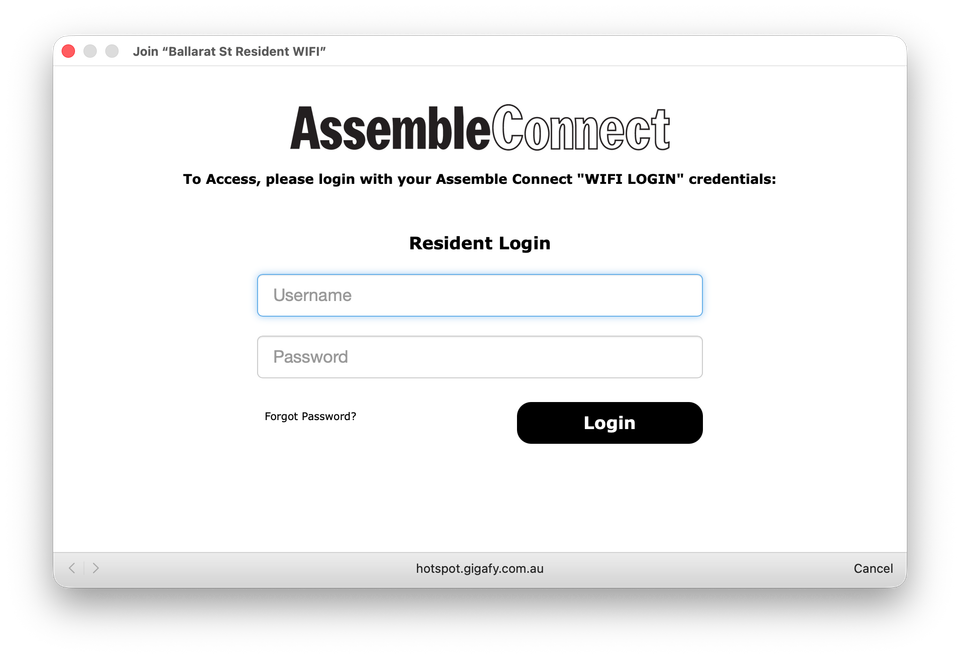
"Ballarat St Resident WIFI" - When prompted for login details, enter:
- The main tenant’s email address
- Your Rush Broadband password (the one you confirmed or reset earlier)
The login page looks like Assemble branding, but it is authenticating through Rush Broadband.
Once authenticated, you should come online within a few seconds.
Note on timeouts: The system works like a public hotspot. You may be asked to sign in again on future visits. There is a small cheat to avoid this which I am happy to show you in person.
Using the TV for Screen Sharing and AirPlay
The rooftop TV has now been fully configured with the broadband provider so residents can screen share properly.
Once you are connected to "Ballarat St Resident WIFI"
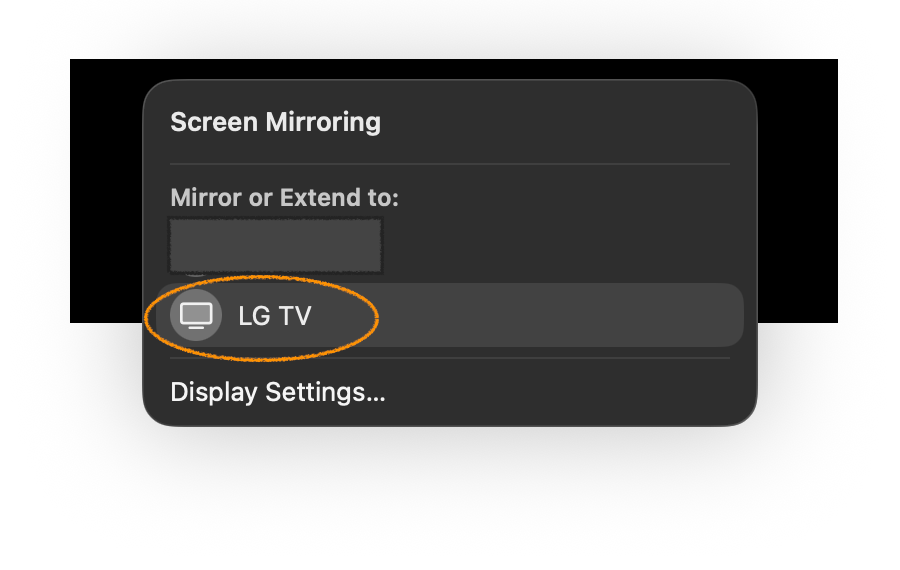
- Look for "LG TV" in your Screen Sharing or AirPlay menu.
- You can mirror presentations, watch streaming services, or share your device screen with the room.

Using the Sonos speaker
We have reconfigured the Sonos speaker on the new WiFi for residents.
Once connected to the communal WiFi, select: "Ballarat St Lounge"
This will appear as an audio output option in your device and you can play music from any of your phone apps.
If you want help setting up the login or want to learn the WiFi timeout workaround, I am happy to show you in person. (Joshua)